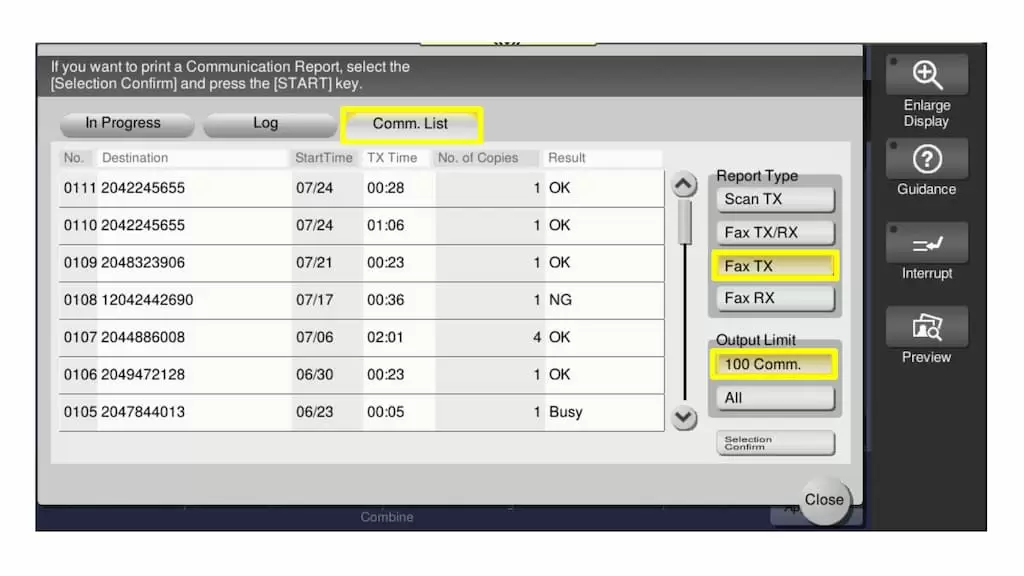
If you would like to print a communication list of the last several transmissions (fax/email), you can do so from the job list
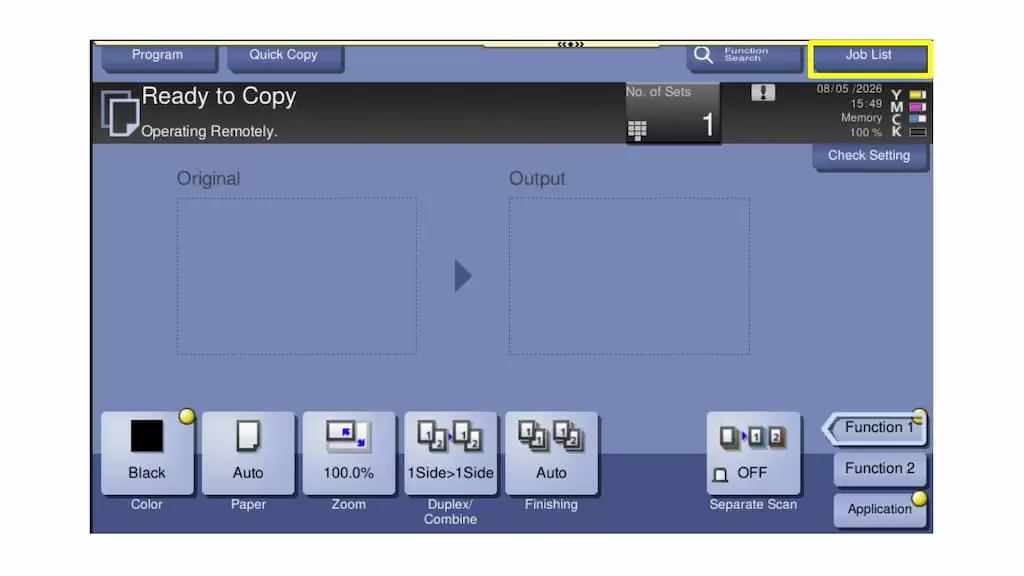
1. From the home screen, touch [Job List]
2. Select [Comm. List]
3. Select the job type you would like to print the list for under Report Type (TX = Transmission, RX = Receiving)
For example, if you would like to print a list of the last several faxes sent, select Fax TX
4. Select your Output Limit
5. Press [START] to print the list